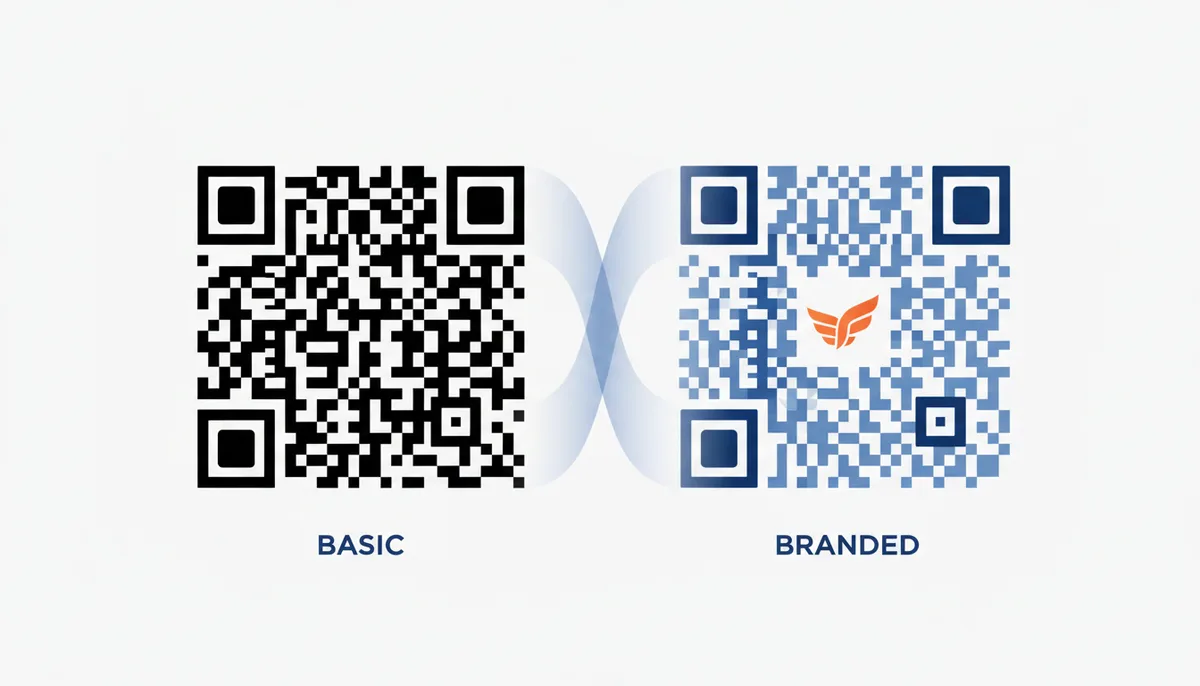
You spent an afternoon designing a QR code that perfectly matches your brand guidelines. You embedded your logo, adjusted the eye corners, and picked a hex color that matches your packaging. You download the file, send it to the printer, and hand it to a customer who points their phone at it.
Nothing happens. Or worse, it opens a wrong URL because you realized three days too late that you need to redirect traffic from a temporary campaign.
This is the cost of treating a QR code as a simple image rather than a business instrument. It happens often enough that most marketers give up on customization entirely, settling for ugly black-and-white squares that destroy brand cohesion, or paying for tools that don't actually solve the problem.
If you need custom-branded QR codes that actually work and track performance, your choice of generator matters. Two tools consistently dominate the search results for this task: QR Code Machine and QR Code Monkey. Both promise customization. Both offer vector downloads. But they serve fundamentally different workflows.
This isn't a generic feature list. We're going to break down exactly how each tool handles branding, dynamic updates, scanning reliability, and pricing. By the end, you'll know which platform fits your immediate needs and which one sets you up for scaling.
QR Code Machine vs. QR Code Monkey: At-a-Glance Comparison
Most comparisons fail because they treat every user the same. A solo photographer needing a vCard for their business card has completely different requirements than a retail chain distributing thousands of location-tracking codes across their stores.
QR Code Monkey excels as a specialized design studio for static codes. If you want granular control over shapes, gradients, and frames without paying a cent, it is difficult to beat. However, its dynamic capabilities are secondary.
QR Code Machine positions itself as a complete operational platform. Its focus is on management: bulk generation, API access, team collaboration, password protection, and deep analytics. While its interface prioritizes function, it gives you everything required to run a multi-channel campaign.
| Attribute | QR Code Machine | QR Code Monkey |
|---|---|---|
| Core Branding Features | Logo embedding, hex color pickers, pattern shape adjustments, pre-built frames. | Advanced logo/background controls, gradient fills, dot-style manipulation, extensive CTA frame library. |
| Dynamic QR Codes | Paid tiers include dynamic link creation, destination editing, expiration dates, and password protection. | Available on paid tiers; focuses on destination updates and basic tracking without requiring code regeneration. |
| Analytics Depth | Advanced dashboard: geographic heatmaps, CSV export, device/browser breakdown, historical trend graphs. | Standard reporting: total scan counts, timestamps, approximate location data, basic device type information. |
| Free Plan Limits | Unlimited static code generation; dynamic codes restricted by monthly quotas tied to subscription tier. | Unlimited static generation with full design suite; no watermarks on static image exports. |
| Bulk / API / Team Features | Built-in CSV bulk uploader, REST API endpoints, dedicated workspaces for multi-user collaboration. | Manual creation workflow; template export/import for batch work; limited shared project functionality. |
| Export Formats | PNG, JPG, SVG, PDF. | PNG, SVG, EPS, PDF. |
| Best-Fit User | Marketing agencies, logistics teams, and enterprises managing active, trackable campaigns. | Freelancers, graphic designers, and small businesses creating one-off static assets for print or digital use. |
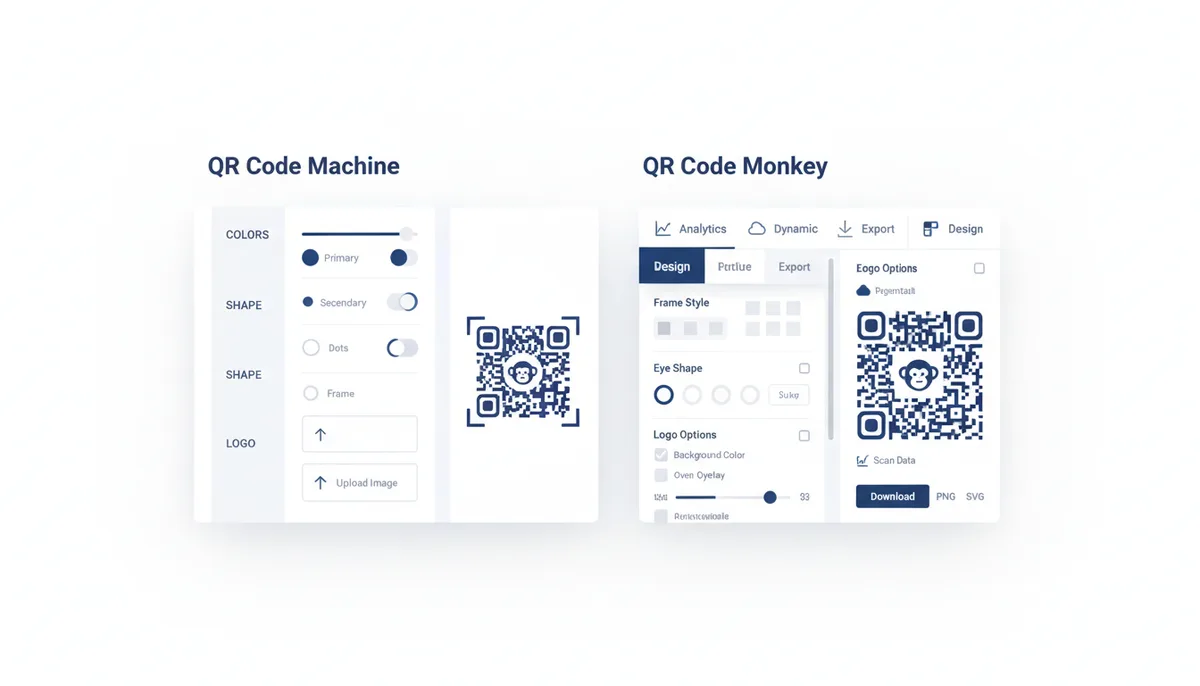
The quick verdict: If you are a designer creating one-off static assets for a portfolio, brochure, or single event, QR Code Monkey offers a richer free experience. If you are a business running active marketing campaigns, managing teams, or needing to change URLs without reprinting, QR Code Machine is the necessary infrastructure.
Head-to-Head: Which Tool Offers Deeper Brand Customization?
Customization is the primary reason you leave behind the standard QR code. A branded code does two things: it signals legitimacy to the scanner, reducing friction, and it maintains visual continuity with the rest of your collateral.
QR Code Monkey treats the QR code as a canvas. Its customization menu is dense. You can manipulate the eyes (the corner squares), the modules (the dots), and the background independently. It supports gradient fills and a vast library of pre-designed Call-to-Action (CTA) frames.
For example, if you are generating a code for a coffee shop menu, you can drop a "Scan to Order" frame around a code that uses warm brown gradients and rounded dot patterns. The control here is exceptional, allowing for codes that look less like scannable data matrices and more like graphic design elements.
QR Code Machine takes a slightly more utilitarian approach to design. It allows logo embedding, solid color changes, and pattern adjustments. It may not have the exact same granularity regarding dot-shape manipulation that QR Code Monkey offers, but it provides essential branding tools without overwhelming the user.
Crucially, QR Code Machine integrates these design choices into a workflow that immediately asks about the destination URL and tracking needs. You aren't just making art; you're building a link.
Template Usage
QR Code Monkey wins here if you need speed with style. It has pre-built themes for social media (Instagram, TikTok), events, and business profiles that apply complex styling automatically. QR Code Machine focuses less on decorative presets and more on providing a clean baseline that you can adjust via Hex codes or basic dropdowns. This difference highlights their target audiences: QR Code Monkey is for creators who love tweaking aesthetics; QR Code Machine is for professionals who need consistent branding applied across hundreds of codes efficiently.
When embedding logos, both tools use error correction to weave the image into the code. However, the success rate depends on the logo's complexity and size. Neither tool will let you proceed if the design breaks the code completely, but QR Code Monkey's visual feedback often makes it easier to see exactly how much of the matrix is being covered before you hit download.
User Experience: From Blank Canvas to Branded Code
A generator is only good if the workflow doesn't fight you. Let's walk through the process of creating a customized code for a product landing page on both platforms.
On QR Code Machine:
You land on the dashboard. The first step is inputting the content. You select "URL" and paste the link. Immediately, a basic static code appears. On the right-hand panel (or modal on mobile), you navigate to "Design". You upload your logo, center it, and set the color. The interface is clean and responsive.
When you are satisfied, you click "Download". A prompt immediately asks if you want to upgrade to a dynamic code to enable tracking. If you say no, you get the static file. If you say yes, you are guided through setting up the campaign analytics. The path is linear and efficient.
On QR Code Monkey:
You enter the URL or content type. The code generates in the center of the screen. You then interact with a sidebar containing multiple tabs: "Logo", "Frame", "Eye Top Corners", "Dot Style", "Background Color". You click through them, dragging and dropping your logo, selecting a frame style, and adjusting the dot color. The preview updates instantly.
The depth of options means you might spend five minutes just finding the perfect shade of blue or the ideal frame thickness. Once finished, you click "Download Image". If you decide later that you wanted tracking, you'd have to go back and generate a dynamic code separately.
Speed and Responsiveness
Both platforms render quickly. However, QR Code Machine's strength lies in batch operations. If you have 50 products and need 50 distinct codes linking to different SKUs, QR Code Machine's bulk interface lets you upload a CSV and generate them all with branding applied automatically.
On QR Code Monkey, you would essentially have to repeat the process 50 times unless you export a template and import it repeatedly, which adds friction. For volume, QR Code Machine removes the manual labor.
Beyond the Look: Comparing Dynamic QR Code Capabilities
This is where the conversation shifts from design to strategy. A static QR code links to a URL forever. If you need to change the destination, update a broken link, or track how many people scanned it, you need a dynamic QR code.
Dynamic codes work by linking to a short URL hosted on the generator's server. The server reads the latest destination and redirects the scanner. This introduces a tiny delay (usually milliseconds) during the scan, which is generally imperceptible to the human eye but critical for analytics.
QR Code Machine's Approach
It builds its ecosystem around dynamic codes. Its premium features include:
- Expiration Dates: Set codes to stop working after a specific event ends.
- Password Protection: Restrict access to sensitive information (useful for internal corporate docs or exclusive offers).
- Editability: Change the underlying URL without changing the printed code.
- Bulk Management: Edit hundreds of dynamic links simultaneously.
For businesses, these features justify the cost. They prevent dead links, secure data, and allow for agile marketing pivots.
QR Code Monkey's Approach
While it supports dynamic codes, its primary selling point remains its static design capabilities. Its dynamic offering typically includes standard analytics (scan counts, geographic data) and editability. However, it lacks some of the advanced utility features found in QR Code Machine, such as granular permission settings or robust API endpoints for developers to integrate QR logic into custom software.
Which Analytics Do You Need?
Both provide core metrics: total scans, devices used, and approximate locations. QR Code Machine often pushes harder on the "map view" and historical trend graphs. If you are running an OOH (Out of Home) advertising campaign, seeing exactly where scans are happening geographically over time helps you measure ROI. If you just need to know "did anyone scan this?", both tools deliver that adequately.
Scan Reliability and Output Quality: Does Your Custom Code Actually Work?
You can make any QR code look beautiful. That doesn't mean it will scan.
Over-customization kills scanners. If you choose low-contrast colors (e.g., light gray on white), embed a logo that covers more than 30% of the surface area, or distort the positioning markers (the "eyes") too far, the scanner's camera cannot decipher the grid.
Error Correction Level (ECL)
Every QR code has an error correction level (L, M, Q, H). H stands for Highest and allows up to 30% of the code to be obscured by a logo or damage while still remaining readable. Both QR Code Machine and QR Code Monkey default to a safe ECL, but you should always check this setting if you are aggressively covering the code with graphics.
Scannability Warnings
Ideally, a tool warns you before you download a bad design. QR Code Monkey often shows a visual "score" or warning if the contrast drops below a threshold. QR Code Machine relies on the ISO/IEC 18004 standard implicitly but emphasizes testing via its previewer. Always test your final file using a dedicated scanner app, not just the camera app, to ensure there are no latency issues.
Download Formats and Print Quality
This is non-negotiable for physical media.
- Raster (PNG/JPG): Made of pixels. Fine for screens. If you scale a PNG up to 2 feet wide, it becomes blocky and pixelated.
- Vector (SVG, EPS, PDF): Made of mathematical paths. Infinite scalability. Essential for banners, t-shirts, and large-format prints.
Both QR Code Machine and QR Code Monkey offer vector downloads. QR Code Monkey is particularly praised in the community for easily exporting high-quality SVGs and EPS files even on certain plans, catering directly to print-heavy users. QR Code Machine also guarantees these formats, ensuring your branded code looks sharp whether it's on a business card or a delivery truck.
Pricing and Plans: What's Free vs. What's Worth Paying For?
The pricing models dictate who can use these tools effectively.
| Feature | QR Code Machine (Paid Tiers) | QR Code Monkey (Paid Tiers) |
|---|---|---|
| Static QR Codes | Unlimited (Branding included) | Unlimited (Full Design suite included) |
| Dynamic QR Codes | Licensed per code/bulk allowance | Licensed per code |
| Scan Analytics | Advanced with Map Views & Export | Standard Dashboard |
| Team Collaboration | Yes (Multi-user accounts available) | No |
| Bulk Generation | CSV Upload Support | Manual or Template-based |
| Support Priority | Dedicated Business Support | Standard Email Support |
The Free Experience
Both platforms are generous with static codes. You can generate unlimited black-and-white or colored codes for free. The difference emerges when you want to remove watermarks or unlock the deepest levels of logo integration, though generally, both allow fairly robust free usage for non-commercial or small-scale projects.
Return on Investment
If you pay for QR Code Machine, you are buying management. The ROI comes from not having to reprint materials because you updated a URL via an API, or from knowing exactly which billboard drove sales. The price is justified by efficiency and risk mitigation.
If you pay for QR Code Monkey, you are usually buying convenience or higher quality outputs (like removing a watermark badge). The ROI is faster design cycles and better aesthetic matching for your print materials. It's a design investment rather than a structural one.
The Final Verdict: Who Should Choose Which?
There is no universally "best" generator. There is only the best tool for the job at hand.
Choose QR Code Monkey if:
You are a graphic designer, a photographer, or a small business owner creating marketing materials offline. You care deeply about how the QR code looks next to your logo and typography. You need to create dozens of static codes for flyers, posters, and menus. You want total control over colors and shapes without dealing with complex dashboards.
Choose QR Code Machine if:
You are a marketer, agency, or enterprise deploying QR codes in the field. You need to track scans to prove campaign success. You need to manage access with passwords or expiration dates. You are generating codes in bulk for inventory, tickets, or product catalogs. You need an API to connect your QR codes to your existing CRM or e-commerce platform. You prioritize function, reliability, and management over hyper-granular artistic tweaking.
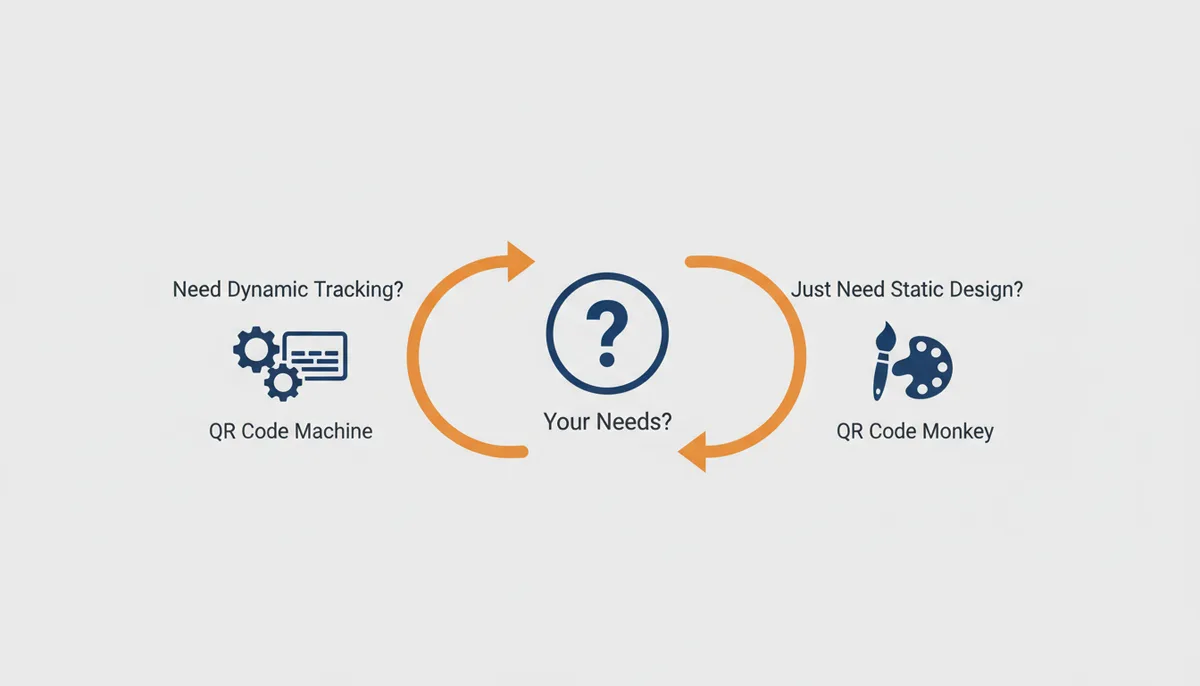
Your choice defines your flexibility. A beautifully designed static code that never tracks is a piece of art. A tracked dynamic code that blends seamlessly into your brand is a piece of infrastructure. Build what your business requires.
Frequently Asked Questions
Can a highly customized QR code become unscannable?
Yes. Using low-contrast colors, covering too much area with a logo, or using overly complex patterns can make a QR code difficult or impossible to scan. Always test your final design with multiple QR scanner apps and devices before printing.
Is there a major difference between the free codes from each service?
Both offer free static QR codes that do not expire. The main differences are in the depth of design customization available on the free plan and the user interface for creating them. Neither service's free static codes have scan limits.
Do I need a dynamic QR code just to add a logo?
No. Adding a logo is a visual customization that can be applied to both static and dynamic QR codes. You should choose a dynamic code only if you need to track scan analytics or want the ability to change the destination URL in the future.
Can I move my existing QR codes from QR Code Monkey to QR Code Machine?
You must recreate them. You can create new codes in QR Code Machine with the same destination and design. However, dynamic codes cannot be transferred; you'll get a new short URL and lose the scan history from the old code.
Which tool is better for high-quality printing on merchandise or large banners?
For high-quality printing, the critical feature is the ability to download in a vector format like SVG or EPS. Both tools offer this, but you should choose the one whose plan provides the high-resolution vector downloads you need for large-scale, sharp printing.
Hardening Your Codes: Environments, Surfaces, and Scanning Distance
You designed a QR code on a clean white screen inside the generator tool. You approve the logo placement, select your brand colors, and download the file. Then you print it on textured, uncoated paper for a direct-mail flyer, or you etch it onto a metal part for a warehouse bin, and hand it to a user holding their phone three feet away in poor lighting. The code fails.
This failure is rarely the fault of the generator's rendering engine. It is almost always a mismatch between digital design assumptions and physical constraints. A branded QR code is a functional data carrier first and a graphic element second. If you ignore the physics of scanning, your branding work becomes useless.
The primary mechanism of failure in branded codes is contrast degradation caused by the substrate, combined with insufficient module resolution for the intended scanning distance. A "module" is the smallest square data bit in the matrix. Every smartphone camera has a minimum module size it can resolve based on distance. Roughly speaking, to be scannable from five feet away, your smallest module should be at least 1.5 millimeters wide. If you compress a dense QR code to fit a tiny space, you exceed the optical limit of most cameras. Conversely, if you generate a code meant to be scanned from six inches away (like on a business card), a 1.5-millimeter module results in a massive code. You must calculate your module size based on the closest distance a user will attempt to scan.
Surface texture and color interactions further complicate this. Matte finishes diffuse light, which helps readability. Glossy surfaces create specular highlights that wash out contrast entirely. Embossed textures or woven fabrics introduce shadows that the scanner interprets as extra data modules, causing alignment errors. When designing for these materials, you cannot rely solely on the generator's preview. You must adjust your Error Correction Level (ECL). Standard ECL (Level M) protects against minor defects. For harsh environments like industrial labels, rough packaging, or potential wear-and-tear, jump to Level Q or even Level H (High). Level H tolerates up to 30% code coverage being obscured or distorted, giving you the slack needed for logos or surface imperfections. However, higher error correction reduces the amount of data you can encode in the same footprint, which is a hard trade-off to respect.
Color selection requires luminance analysis, not just aesthetic preference. QR Code Monkey offers extensive gradient tools and custom eye corners, which are fantastic for engagement. But gradients can introduce low-contrast zones where the scanner struggles to distinguish the data bits. If you use a dark brand color on a light background, ensure the luminance ratio exceeds 70%. Never place a dark logo directly over the positioning markers (the three squares in the corners); doing so disables the scanner's ability to orient the image correctly. Most tools, including both QR Code Machine and QR Code Monkey, warn you when you block these markers, but the warning does not always catch partial obstruction or color bleed.
Real-world validation demands testing on the actual output, not just the screen. Before committing to a print run or deployment, produce a proof copy on the exact material. Scan it with multiple devices, including older Android phones with slower autofocus and lower-quality sensors. These budget devices have wider noise floors and struggle with high-frequency patterns that newer iPhones decode instantly. If the code works on a flagship phone but fails on a mid-range device, your effective audience shrinks dramatically. In practice, you should aim for universal scannability, which means prioritizing robustness over aggressive artistic manipulation. Sometimes, keeping the module shape simple and avoiding complex gradient fills on the background ensures that the code survives contact with customers and scanners alike.
The Trust Tax: Privacy, Compliance, and Consumer Skepticism
A QR code functions as a bridge between the physical world and your digital infrastructure. When that bridge uses a dynamic redirect, it also functions as a tracker. The moment you enable analytics, you move from simple routing to data collection, and that shift introduces significant privacy obligations and consumer friction.
Dynamic QR codes operate by linking to a short URL hosted on the generator's redirect server. When a user scans the code, their device hits that server, which logs the request and then forwards the user to the final destination. The log captures the IP address, the timestamp, the device type, the operating system, and often the approximate geolocation derived from Wi‑Fi triangulation or GPS leaks. Under regulations like the GDPR in Europe and CCPA in California, IP addresses are considered personally identifiable information. Collecting this data without explicit consent or a clear disclosure exposes you to regulatory fines and severe reputational damage.
The "Trust Tax" manifests when users encounter QR codes that feel deceptive or opaque. Mobile operating systems are increasingly hostile toward QR experiences that mask destination changes. Apple's iOS and Google Play Store guidelines have tightened scrutiny on web redirects and QR-triggered app installs. If a QR code promises a PDF download but silently redirects the user to a marketing signup page, the user's browser may display a prominent security warning, or the click-through rate collapses as users learn to distrust the channel. You lose the efficiency gain of the QR code the moment the user feels manipulated.
Mitigation starts with minimization. You should only collect analytics that you strictly need to measure success. If your goal is to know whether a billboard drove traffic, the total scan count and geographic distribution are sufficient. Storing granular device IDs or retaining logs indefinitely increases your liability without adding value. Configure your dynamic codes to strip unnecessary data fields if the platform allows it. Both QR Code Machine and QR Code Monkey provide dashboard controls, but you must actively audit your settings. Default settings often maximize data collection.
Sources
- Denso Wave Inc. — The origin of the QR code, its basic structure, and the technical principles behind it.
- International Organization for Standardization (ISO) — The official standard for the QR code symbology is ISO/IEC 18004.
- GS1 — Best practices for using QR codes in retail, logistics, and commercial applications, including sizing and placement guidelines for reliable scanning.
- QR Code Monkey — Specific claims regarding QR Code Monkey's features, pricing tiers, and customization options.