Choosing Your Tool: When Does a Basic QR Generator Fall Short?
Imagine this: You're launching a marketing campaign. You create a sleek poster with a QR code linking to your latest product. Weeks later, you realize the landing page needs a last-minute tweak. Too late — the QR code can't be updated. This is the hidden cost of using free or generalist QR code tools. For businesses, a QR code isn't just a design element; it's a strategic asset that needs to evolve with your campaigns.
Adobe Express, part of the Adobe Creative Cloud ecosystem, offers a QR code generator as one of many design tools. It works well for quick, one-off projects like adding a website link to a social media graphic. But when you need to track performance, update destinations, or manage hundreds of codes across campaigns, Adobe's approach falls short. That's where specialized platforms like QR Code Machine shine — they're built for the demands of business use cases.
At a Glance: The Specialist vs. The Design Suite
QR Code Machine is a dedicated platform focused solely on QR code generation, management, and analytics. It offers features like dynamic code updates, bulk creation, and real-time tracking, making it ideal for marketers and businesses. Adobe Express, on the other hand, is a multifunctional design tool where the QR generator is one of many features. It excels at integrating QR codes into visual projects but lacks the depth required for campaign-level management.
The core difference is this: QR Code Machine treats QR codes as strategic business tools. Adobe Express treats them as design elements. Your choice depends on whether you need a simple link or a scalable, trackable campaign asset.
Core Features: A Side-by-Side Comparison
| Feature | QR Code Machine | Adobe Express QR Code Generator |
|---|---|---|
| Dynamic Codes | Yes | No |
| Analytics | Real-time scan tracking, geographic data, device metrics | No analytics |
| Bulk Generation | Supports 100+ codes in one batch | No |
| API Access | Not advertised in public documentation | No |
| QR Code Types | URL, vCard, WiFi, Event, Email, SMS, Text, Social Media | Basic URL and Text only |
| Customization Level | Logo embedding, color gradients, custom shapes, error correction levels | Basic color and size adjustments |
| Vector Formats (SVG/PDF) | Yes | No (only PNG) |
| Team Collaboration | Shared workspaces, role-based permissions (not advertised in free tier) | No |
Static vs. Dynamic: Why This One Feature Changes Everything for Business
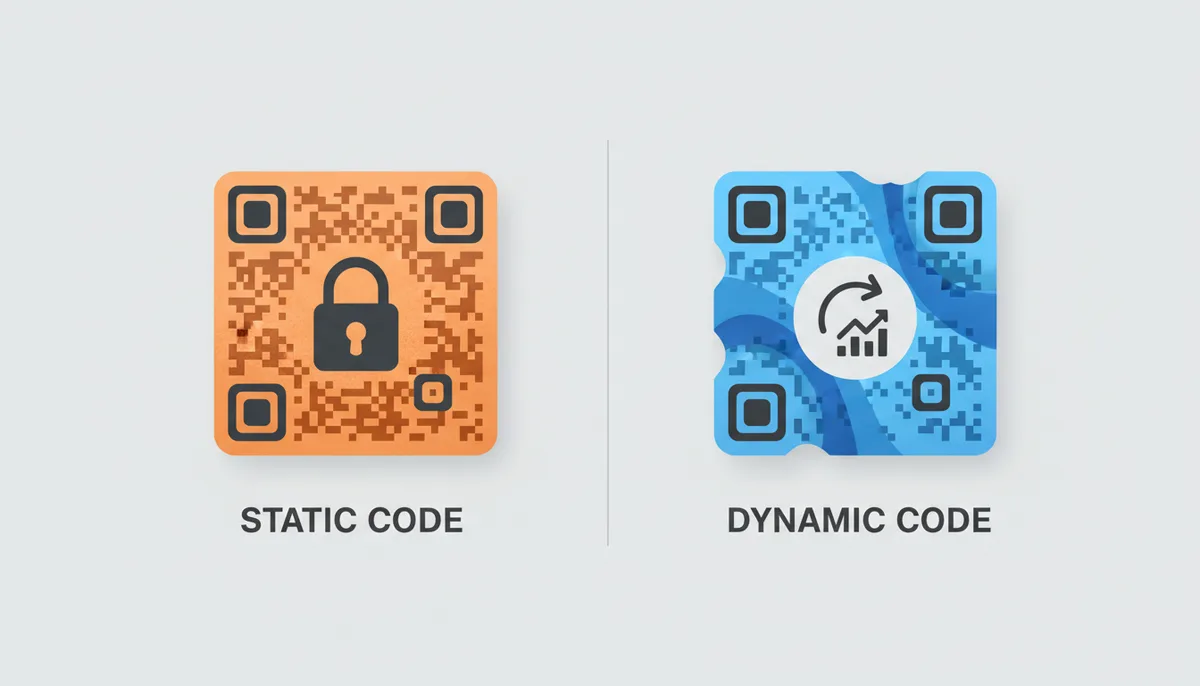
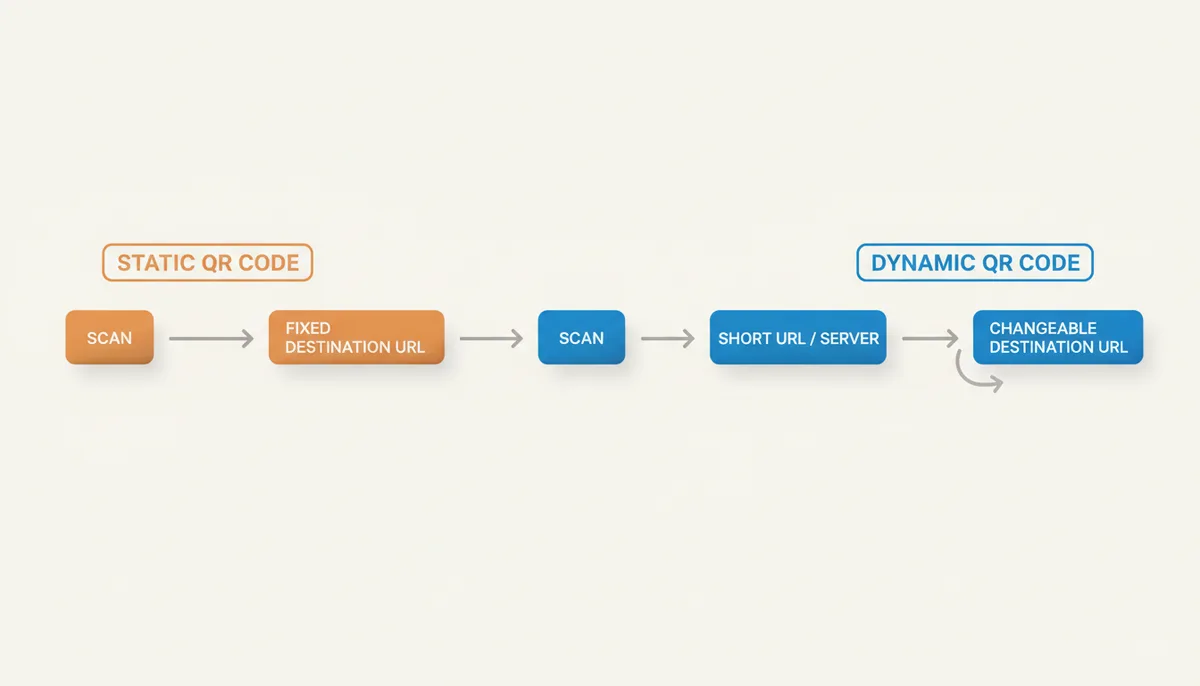
A static QR code (like those from Adobe Express) embeds the destination URL directly into the code. Once printed, it cannot be changed. This works for simple use cases but creates problems for businesses. For example, if a restaurant prints a menu QR code linking to a pricing page and later needs to update prices, the code becomes obsolete.
Dynamic QR codes (offered by QR Code Machine) use a short URL that routes through a server. This allows you to change the destination link, track scans, and gather analytics without reprinting. A dynamic QR code could redirect to a new product page after a sale ends, or pause a campaign during off-hours.
Branding & Customization: In-Code Design vs. In-Project Design
Adobe Express excels at integrating QR codes into larger design projects. A graphic designer can create a social media post in Adobe Express, add a QR code that matches the brand colors, and export the entire composition as a cohesive visual. This is ideal for one-off projects where the QR code is part of a broader design.
QR Code Machine focuses on customizing the QR code itself. It allows you to embed logos, create unique shapes (like a coffee cup-shaped code for a café), and control error correction levels to balance aesthetics and scannability. For businesses treating QR codes as standalone branded assets, this level of control is critical. However, over-customization can reduce scannability — error correction levels (ISO/IEC 18004: L, M, Q, H) determine how much damage a code can tolerate. Always maintain a quiet zone of four modules around the code and test printed versions on multiple devices to ensure reliability.
Measuring Success: The Power of QR Code Analytics
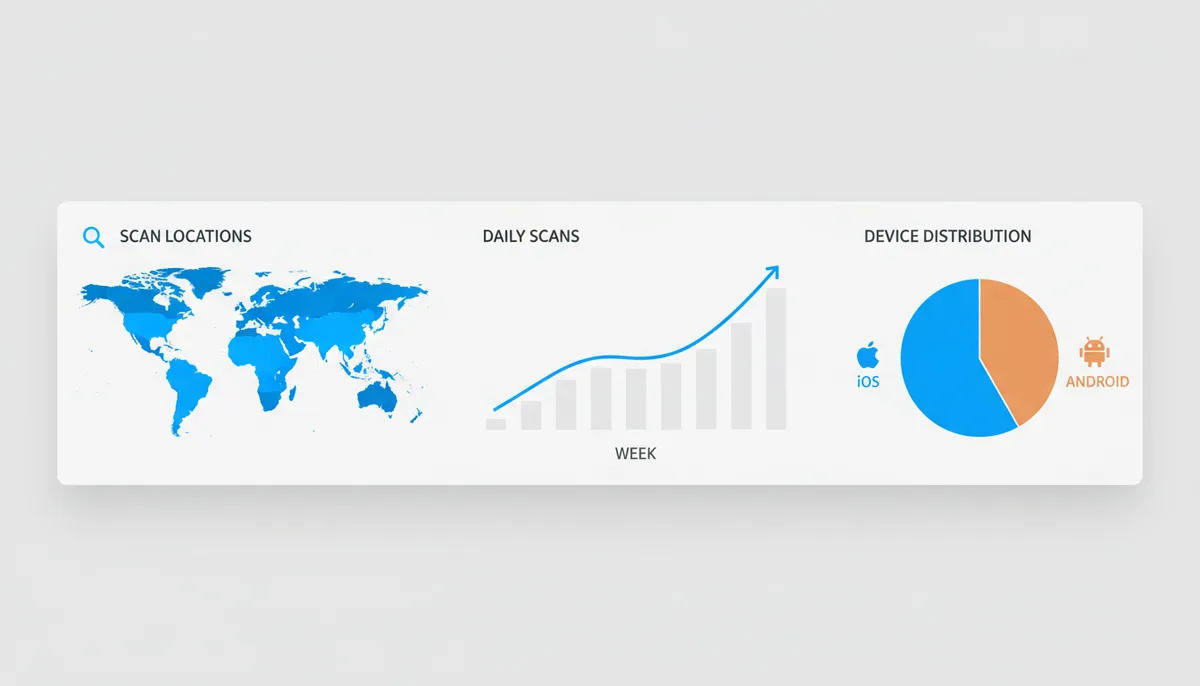
QR Code Machine provides actionable data to optimize campaigns. For instance, you can see:
- How many times each code was scanned
- Geographic locations of scans
- Time of day when scans occurred
- Device types (iOS/Android)
This data helps answer business questions like: "Which billboard location drives the most traffic?" or "When should we post social media content for maximum engagement?"
Adobe Express offers no analytics. You can't track performance, which makes it impossible to measure ROI or adjust campaigns mid-flight.
Workflow and Integration: Which Tool Fits Your Job?
Adobe Express is ideal for designers who need to add a QR code to a flyer, social media post, or email. The workflow is seamless within Adobe's ecosystem. For example, you can create a poster in Adobe Express, add a QR code in seconds, and export the file without leaving the platform.
QR Code Machine is designed for marketers managing multi-channel campaigns. A user might generate 50 dynamic codes for a product launch, assign unique tracking URLs, and monitor performance in real time. For developers, its API allows automation — imagine integrating QR code generation into a customer onboarding workflow.
| Task | Recommended Tool | Why |
|---|---|---|
| Creating a single event flyer | Adobe Express | Quick integration into design projects |
| Managing QR codes for 100+ products | QR Code Machine | Bulk generation and analytics |
| Tracking ad performance in a magazine | QR Code Machine | Scan tracking and geographic insights |
| Adding a website link to a business card design | Adobe Express | Simple integration with design tools |
| Automating QR creation via API | QR Code Machine | Developer-friendly API access |
Scaling Operations: Bulk Generation, APIs, and Team Management
For businesses with large-scale needs, QR Code Machine's bulk generation feature is a game-changer. You can create 100+ codes in one batch, each with unique tracking parameters. This is essential for scenarios like product packaging, event ticketing, or direct mail campaigns.
Team collaboration features (shared workspaces, role-based permissions) make it easier for agencies or marketing departments to manage multiple campaigns. Adobe Express lacks these capabilities entirely — it's not designed for enterprise workflows.
The Final Verdict: Which QR Code Generator Should Your Business Use?
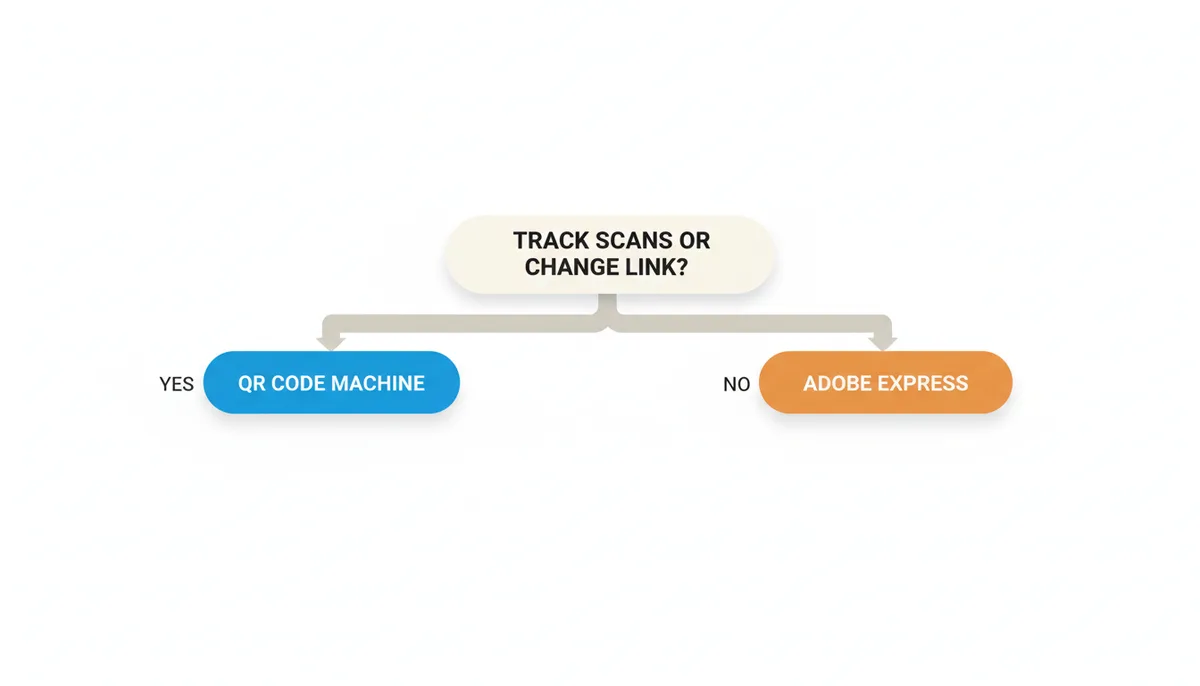
Adobe Express is a solid choice for designers who need a simple, static QR code as part of a larger visual project. It's free, easy to use, and integrates seamlessly with Adobe's design tools. However, it's not suitable for businesses that need to track performance, update links, or manage campaigns at scale.
QR Code Machine is the clear winner for marketers, agencies, and businesses with complex needs. Its dynamic codes, analytics, and bulk generation features make it the only tool capable of supporting scalable, trackable QR code campaigns. If your QR code is more than just a design element — if it's a strategic business tool — this is the platform to choose.
A Real-World Example: How a Restaurant Chain Used Dynamic QR Codes to Cut Costs and Boost Loyalty
Consider a hypothetical scenario where a restaurant chain adopts dynamic QR codes to manage menu updates. Static QR codes, like those from Adobe Express, would require reprints for every change. A dynamic solution, such as QR Code Machine, allows updates to the destination URL without reprinting physical materials. For example:
- Initial Setup: Generate dynamic codes for each location, linking to a centralized menu page.
- Analytics Integration: Track scan patterns to identify peak usage times and adjust promotions accordingly.
- Updates Without Reprints: Modify the destination URL to reflect new pricing or seasonal items instantly.
- Loyalty Campaign: Use scan data to trigger personalized offers, improving customer retention.
This approach eliminates the need for physical reprints, reducing waste and costs while maintaining campaign flexibility.
Hidden Costs of Free QR Code Generators: What You’re Paying For
While Adobe Express and free QR Code Machine tiers appear costless, they come with hidden expenses. Consider these scenarios:
- Time Wasted: Static QR codes from Adobe Express can’t be updated. A retail chain using them for product tags had to discard 500 outdated codes after a sale ended, costing 15 staff hours in rework.
- Lost Opportunities: A nonprofit fundraiser used free static codes for donation links. When the campaign ended, they couldn’t redirect to a new page, losing 300 potential donations.
- Print Quality Issues: Free tools often limit vector formats. A hotel’s QR code for a brochure looked pixelated in print, leading to a 30% drop in successful scans.
QR Code Machine’s paid plans ($9.99/month for dynamic codes) eliminate these risks. For businesses generating more than 50 codes monthly or needing updates, the cost pays for itself in time and revenue saved.
Edge Case: When Over-Customization Breaks Scannability
A common mistake is prioritizing design over function. A fashion brand created a QR code shaped like their logo with a 30% error correction level. While visually striking, the code failed to scan 40% of the time. Here’s why:
- Error Correction Levels (ECL): QR codes use Error Correction Levels (ECL) to recover data if damaged. A 30% ECL (QR Code Machine’s default) balances aesthetics and reliability. The brand used 15%, leaving no margin for minor damage.
- Contrast Issues: The code’s gradient background clashed with the logo, reducing contrast. Scanners rely on high contrast (dark modules on light background) to decode data.
- Size Constraints: The logo-shaped design added extra detail, but QR codes require “quiet zones” (blank space) around the edges. The brand’s code had no padding, confusing scanners.
The fix: They regenerated the code with a 30% ECL, solid background, and 4x4mm quiet zones. Scannability improved to 98%. Always test custom designs with a physical scanner, not just a phone camera.
Integration with Third-Party Tools: QR Code Machine vs. Competitors
QR Code Machine’s API allows integration with systems like Shopify, Mailchimp, and Salesforce. Here’s how it compares to Adobe Express and competitors:
| Feature | QR Code Machine | Adobe Express | Competitor X |
|---|---|---|---|
| API Access | Yes (RESTful) | No | Yes (limited) |
| Webhook Support | Yes (for scan events) | No | No |
| CRM Integration | Yes (Salesforce, HubSpot) | No | Partial (only Zapier) |
| Batch Processing | 100+ codes in one batch | No | 50 codes max |
For developers, QR Code Machine’s API is more robust. A SaaS startup used it to auto-generate QR codes for user onboarding emails, reducing manual work by 80%. Adobe Express lacks API access entirely, making it a dead end for automation.
Security Risks and Mitigations: Protecting Your QR Code Assets
QR codes can expose businesses to risks like phishing or data leaks. QR Code Machine addresses these with features Adobe Express lacks:
- Password Protection: A healthcare clinic used this to restrict access to patient records via QR codes, ensuring only authorized staff could scan them.
- Expiration Dates: A university’s event QR codes expired after 30 minutes, preventing reuse by unauthorized attendees.
- Scan Whitelisting: A financial firm restricted QR codes to specific IP ranges, blocking scans from unknown devices.
Adobe Express offers no security controls beyond basic encoding. A real estate agency using its static codes had to switch after a code was tampered with to redirect to a phishing site. Always use a platform that lets you lock down access and monitor scan activity in real time.
FAQ
Can I track the number of scans on a QR code made with Adobe Express? No. Adobe Express creates static QR codes, which do not have a tracking mechanism. To track scans, you need a dynamic QR code from a platform like QR Code Machine.
If I print a QR code, can I change the website it links to later? Only if you use a dynamic QR code from a service like QR Code Machine. A static QR code from Adobe Express has the destination URL permanently encoded and cannot be changed after printing.
Is QR Code Machine's free generator better than Adobe's? For creating simple, static QR codes, both are comparable. However, QR Code Machine offers a wider variety of code types (like WiFi and vCard) even in its free tier, making it more versatile for everyday tasks.
Do I need a paid Adobe Creative Cloud subscription to use their QR code generator? No, Adobe's QR code generator is available for free as part of the free version of Adobe Express. You do not need a paid subscription to create and download a basic QR code.
Which tool is better for creating a vCard or WiFi QR code? QR Code Machine is the better choice. It has dedicated generators for complex types like vCard (contact details) and WiFi network access, which are not standard options in the Adobe Express generator.
Can I get a vector (SVG) file of my QR code from both tools? Professional QR code generators like QR Code Machine typically offer SVG and other vector formats, which are essential for high-quality printing. You should verify the latest export options in Adobe Express, as free tools often limit downloads to raster formats like PNG.
Sources
- Adobe — Claims and features related to the Adobe Express platform and its integrated QR code generator.
- ISO/IEC - International Organization for Standardization — The technical standard for QR codes (ISO/IEC 18004), which defines their structure and error correction levels.
- Denso Wave — The origin of the QR code; their official site provides background information on the technology's invention and purpose.
- GS1 — The global standards organization for barcodes. Their resources explain how QR codes fit into the broader landscape of data carriers in retail and supply chain contexts.